How to e-sign HR documents in Kloki
In an earlier post we covered the theory: under the EU eIDAS regulation, an electronic signature can't be refused legal effect just because it is electronic. Leave approvals, travel expense approvals, overtime decisions and internal policies can all be signed this way, with no card readers or USB tokens to install. This post is the practical part: how it works in Kloki, step by step.
An example
You have 25 employees across two locations. You know how hard it is to get every one of them to sign something, and you still need a record that they did. Now everyone has to acknowledge a new internal policy, say the rules for using your time tracking platform. How long does it take to get it signed by all 25? Let's go through it.
1. Set up your signature
Before their first signature, each employee (and manager) spends about a minute on setup.
They install a free authenticator app on their phone, such as Google Authenticator or Microsoft Authenticator, scan the QR code Kloki shows and confirm with the six-digit code. That's all.
Why it's secure: every signature after that needs a second factor. Each time an employee is asked to sign, they enter a fresh code from the authenticator app (or confirm with a passkey, using a fingerprint or face). A password alone is not enough to sign in someone else's name.
2. Send one document to many people
For a document that goes to many employees at once, such as a new policy or a contract amendment, use Bulk send. Attach the file, give it a title, pick who needs to sign and set a deadline. Done.
3. See who has signed
In the document archive, managers see where every signing request stands: what is still pending, what is past its deadline and what has been signed recently. If a signature is missing, request it again in one click.
4. How employees know there is something to sign
The document appears under My documents as waiting for their signature. The employee opens it, confirms with a fresh code from the authenticator app, and the status changes to signed.
5. What the signature record proves
Every signature leaves a record you can rely on as evidence. It contains:
- the type and title of the document
- the full name of the person who signed
- the date and exact time of signing
- the signing method (authenticator code or passkey)
- the IP address the signature came from
- a hash of the document content (a cryptographic seal that shows whether anyone changed the document afterwards)
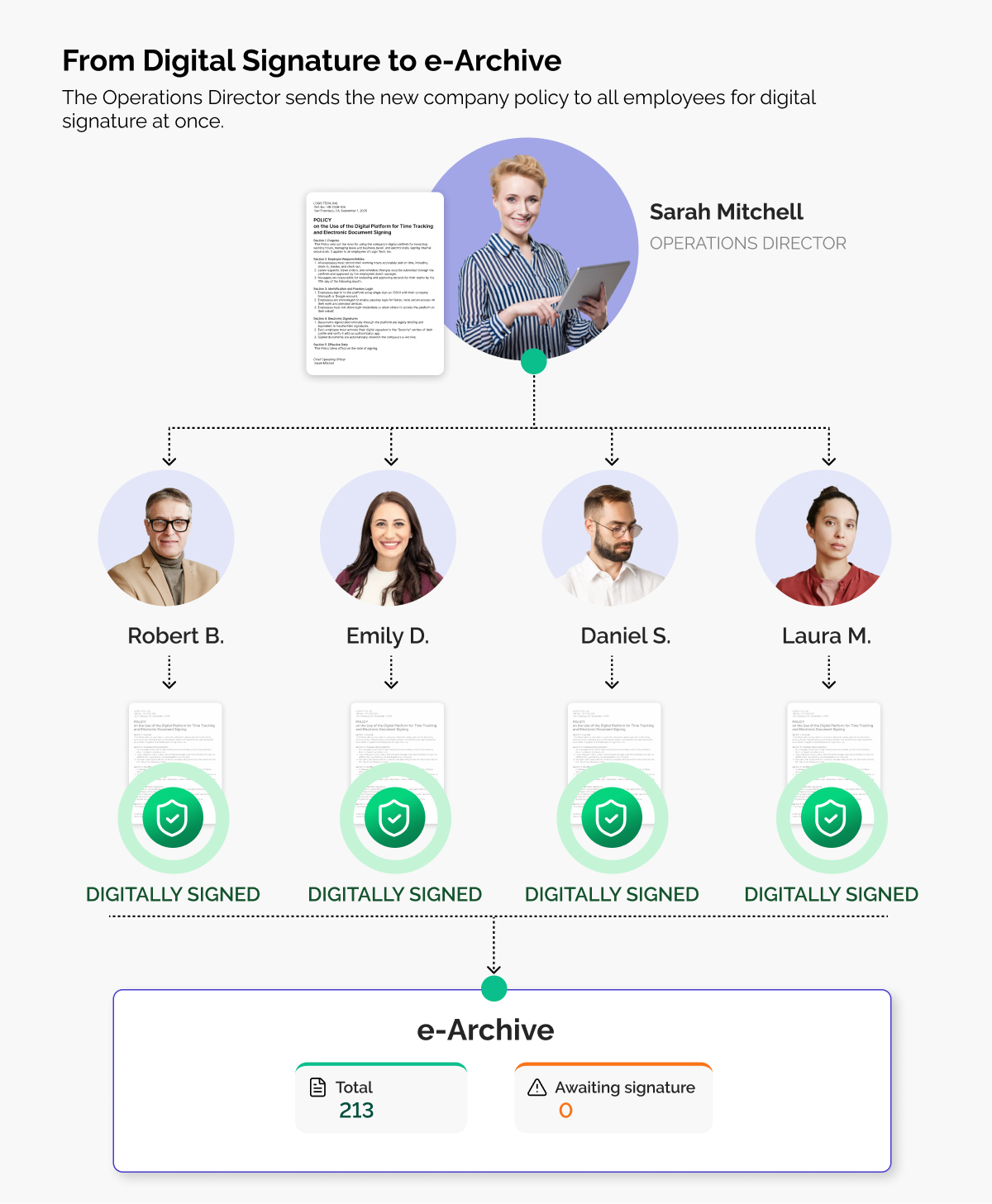
6. A secure archive for signed documents
Signed documents don't get lost in email threads, and you don't download them one by one. Kloki keeps them in the document archive, encrypted and stored on servers inside the European Union. Contracts, decisions, diplomas and internal documents sit in one place from then on. Whether you sent a document to one person or to fifty, everything that was signed stays stored securely.
Read how Kloki protects your HR data under the GDPR in this post.
Office paperwork in one place
For most everyday internal documents, an advanced electronic signature like the one Kloki uses (a second factor plus a cryptographic seal) is legally valid and enough. A few documents may need a specific form under your national rules, so check those. For everything else, e-signing removes the printing, the scanning and the chasing of people around the office or out in the field. Every signature is recorded in the archive, and HR can get on with the rest of the job.