
Time tracking for developers: log hours from GitHub commits, not from memory
Ask a team lead at an agency or software studio how time tracking goes and you get the same story. Developers forget to log hours. On Friday afternoon they open the tracker and fill in the week from memory. The numbers look tidy, but they are estimates dressed up as records, and they end up on client invoices.
Nobody does this out of bad intent. Developers are paid to solve problems, not to remember which ticket they touched at 10:40 on Tuesday. Most trackers expect something people will never do consistently: stop, switch context and type in what they just did.
There is a better source that every developer already produces without thinking: commits.
Why developer time tracking usually fails
The usual options share one weakness.
The timer. Fine in theory. In practice someone starts it in the morning, forgets to switch projects after a call, and the whole day lands on one client. Or it never gets started.
Manual entries at the end of the day. Better, when it happens. Usually it slides to the end of the week, and by then Monday is a blur.
Month-end reconstruction. The project manager sees gaps and starts asking in chat what people worked on three weeks ago. Half a day gone, and the T&M invoice still rests on guesses.
All three depend on the developer remembering, and memory is the first thing to go under a deadline.
Commits already tell the story
A developer's day leaves a trail. Commit messages say what was done ("Fix payroll timesheet export", "New pricing page on the website"). Changed file names say where. Together they say a lot about which project the time went into, before anyone opens a tracker.
That is the idea behind the GitHub connection in Kloki. Instead of asking developers to remember, the AI assistant reads what they committed and suggests time entries per project. The developer confirms or corrects them.
How the GitHub connection works
Three steps, a couple of minutes.
1. Connect GitHub. In your profile settings, open Integrations and connect GitHub. One click, then you sign in to GitHub.
2. Pick repositories. The assistant sees only the repositories you choose, from your own account or an organisation. If you are not an organisation admin, the admin gets a request, and once they approve it the assistant can see those repositories.
3. Ask the assistant. Ask what you worked on yesterday or this week. The assistant reads your commits and suggests entries per project, for example "Kloki · Development · 2 h 15 min" for a commit that touched the timesheet export. Confirm a suggestion and it is logged, or correct it first.
Nothing is logged without the developer's confirmation. The record is still theirs; it just no longer depends on their memory.
What the assistant sees, and what it never sees
This is usually a CTO's first question, and it should be. In the app's own words:
What the assistant sees: only commit messages and the names of changed files, never the code.
So the assistant knows that a commit called "Fix payroll timesheet export" changed export_service.rb and timesheet_spec.rb. It does not read what is inside those files. Your source code stays where it is, and the assistant works only with metadata developers already write for their colleagues.
Add the fact that it sees only repositories you explicitly pick, and that organisation repositories need the admin's approval, and the boundary is clear and easy to explain to a client who asks.
Not every hour has a commit
Code reviews, client calls, planning and a day of debugging that ends in a one-line fix don't produce neat commits. That's fine. GitHub suggestions are one way to log time, not the only one. Developers can also:
- Start a timer on the web or in the Kloki GO mobile app, on the same data.
- Log hours by hand against a project and client, with a task description.
- Mark hours as billable or non-billable, and add tags such as support or urgent.
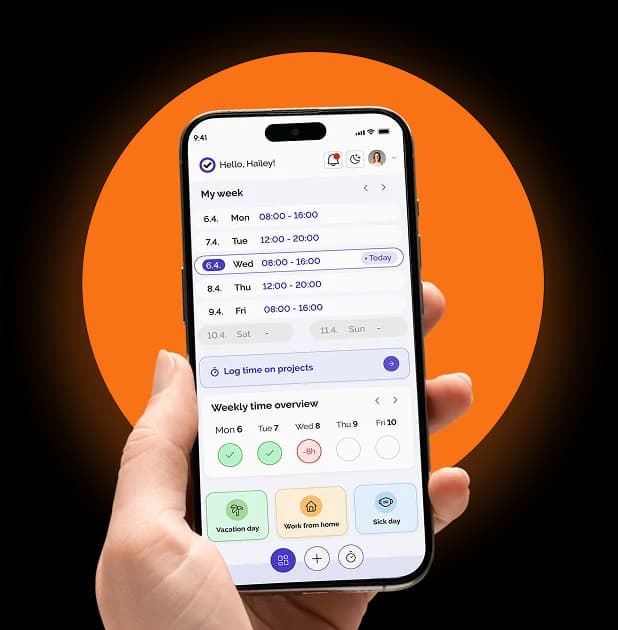
A weekly view with a daily target shows who logged what and who didn't, so gaps show up on Tuesday rather than at month-end. More on how it fits together on the project time tracking page.
From commits to a T&M invoice
Logging hours is half the job. The other half is turning them into something a client will pay.
Kloki reports hours per project, client and employee. Filter by period, break down by project and task, and export to CSV or PDF for the client or your accountant. Billable and non-billable hours are split, and tags show how much went into support versus feature work.
For agencies that bill time and materials, that ends the month-end ritual of adding up hours by hand. Pick the client and the month, and the report is ready. The project time tracking overview walks through the flow step by step.
Switching from Clockify or Harvest
Most teams that care about developer time already use a tracker. What stops them switching is history: nobody wants to lose last year's reports.
Kloki imports clients, projects, users, tags and time entries from Clockify (API key or CSV export) and from Harvest, and anything else comes in through a CSV template. The import is in every plan, so past reports stay intact and the team keeps working the same day.
What it costs
Most time trackers charge per user, so the bill grows with every hire. For reference, Clockify Pro lists $9.99 per user per month billed monthly and $7.99 billed yearly (prices checked on 6 November 2026). For a team of 20, that is around $200 a month on monthly billing, for time tracking alone.
Kloki has one price for the whole team, not per user:
- €49 a month for up to 20 people
- €99 a month for up to 50 people
- €149 a month for up to 100 people
- above 100 people, by agreement
Every module is included: project time tracking with the GitHub connection, attendance, holidays, sick leave, remote work, shifts, travel expenses and team chat. The first 7 days are free without a card, and if you pay and it isn't for you, tell us within 30 days and you get the full amount back.
The short version
Developer time tracking fails when it depends on memory. Commits are a record developers already create, so let them do the remembering:
- Connect GitHub and pick the repositories the assistant may see.
- Ask what you worked on and get suggested entries per project.
- Confirm or correct, then report and invoice per project and client.
- The assistant sees commit messages and changed file names, never the code.
If your team still fills in Friday timesheets from memory, try it free for 7 days and compare the numbers with what actually happened.