Shift scheduling software for small teams: stop rebuilding the spreadsheet every week
If you run a shop, a restaurant, a clinic or a small plant, you know the routine. Every week someone opens the shift spreadsheet, copies last week's tab, moves a few names and posts a screenshot to the team chat. By Wednesday someone is off sick, two people have swapped shifts without telling anyone, and the screenshot is out of date.
At the end of the month the same person goes back through the spreadsheet and counts night and Sunday hours by hand for payroll.
A spreadsheet schedule works for a while. Then it turns into a part-time job. Below: what shift scheduling software should do for a small team, and the rules to check before you publish a schedule.
Why the spreadsheet schedule keeps falling apart
The failures are nearly always the same:
- The schedule changes daily, and the spreadsheet can't tell you who saw which version.
- Nobody is sure who is on. The file says one thing, the chat says another.
- Cover is found by phone, one call after another.
- One sick call breaks the week, because the gap only shows when someone spots it.
- Night and Sunday hours are counted by hand, with plenty of room for mistakes.
None of this is about effort. Whoever builds the schedule usually works hard at it. The tool just doesn't help.
What shift scheduling software should do
A calendar, not cells
You build the schedule by dragging people into shifts. Changing a day is one drag, not a hunt through rows and columns.
Weekly templates you copy forward
Most weeks look like the last one. Save weekly shift templates, apply them in one click and change only what is different.
Publish once, everyone sees it
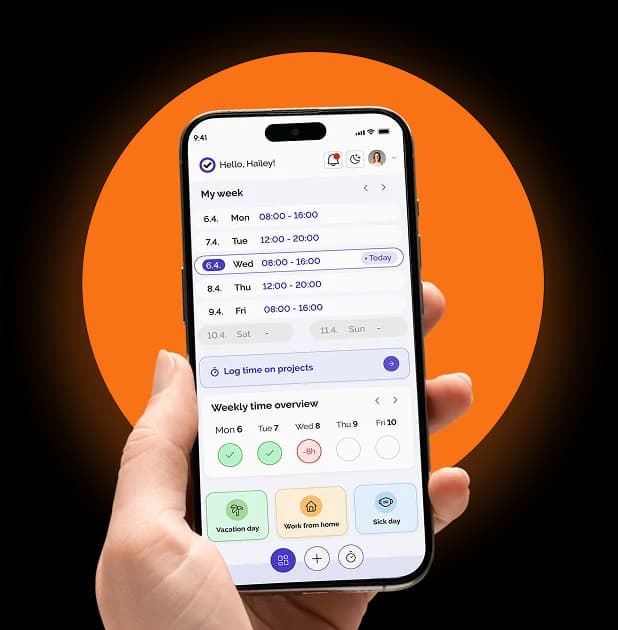
When the schedule is ready, publish it in one click. Employees get a notification and see their shifts on their phones, in any mobile browser or in the Kloki GO app for iOS and Android. No screenshots.
If shifts change mid-week, one click emails the changes to the people affected.
A printed copy for the notice board
Not everyone checks a phone. Print the current week or the whole month to PDF and pin it up.
Gaps you see in time
When someone goes on sick leave or holiday, the gap shows in the schedule while there is still time to find cover, not when the shift starts.
Several teams and locations
More than one shop or department? Each team and location gets its own schedule. Managers see their team, owners see everything.
Rest-time rules to check before you publish
A schedule can look fine and still break the rules. The two that catch small teams most often come from the EU Working Time Directive (2003/88/EC):
- Daily rest. At least 11 consecutive hours of rest in every 24 hours. A closing shift followed by an opening shift breaks this easily.
- Weekly hours. Average working time, overtime included, may not exceed 48 hours a week over the reference period.
These are EU minimums. National rules in your country may be stricter, and outside the EU the numbers differ. Set the limits that apply to you once and let the software check every schedule.
In Kloki you set your daily rest and weekly-hour limits, and a schedule that breaks them is flagged while you build it, before anyone sees it.
Night, Sunday and holiday hours, counted for you
This is where the spreadsheet costs most. Every month someone works out which hours fell in the night window, on a Sunday or on a public holiday, because those hours are often paid differently.
Software should do that. In Kloki you set the night window and your rates once, and night, Sunday and holiday hours are counted per employee. Hours from shifts flow into time tracking, and the report splits them by type (regular, night, weekend), ready for payroll.
For a quick check of what overtime adds up to, use the free overtime calculator.
How long the first schedule takes
About as long as one week in your spreadsheet, and much less from the second week on.
- Sign up. Two minutes, no card. Add teams and locations.
- Build the schedule. Drag people into shifts, copy weekly templates forward.
- Publish. Employees get a notification and see their shifts on their phones.
What it costs
Scheduling tools often charge per user, which hurts most where scheduling matters most: shops, restaurants and plants with many people on shifts.
Kloki has one price for the whole team, set by team size:
- €49 a month for up to 20 people
- €99 a month for up to 50 people
- €149 a month for up to 100 people
- above 100 people, by agreement
Shift scheduling is in every plan, along with time tracking, holidays, sick leave and the other modules. The first 7 days are free without a card, and if you pay and it isn't for you, tell us within 30 days and you get the full amount back.
The short version
Good shift scheduling software for a small team does a few things well:
- A calendar you drag people into, with weekly templates you copy forward.
- One click to publish, to everyone's phone and to paper when needed.
- Warnings about daily rest and weekly hours before you publish.
- Night, Sunday and holiday hours counted for payroll, no calculator needed.
The details are on the shift scheduling page. To build your first schedule, try it free for 7 days.