
Is your project profitable? How to track billable hours and invoice clients accurately
You signed a 15,000 EUR project. The client is happy, the team got the work done, everything looks great. But when you sit down and try to calculate what the project actually cost you — you have no idea. Two developers ran two weeks past plan. The project manager spent 15 hours on client calls nobody logged. The designer reworked things that were never in the original scope. Now the client wants a detailed breakdown of hours worked for their invoice. You open Excel, scroll through Slack, and try to reconstruct from memory who did what.
Sound familiar? Then you have a problem that gets solved once — with the right approach to tracking billable hours by project.
Why tracking hours by project matters
Tracking billable hours by project isn't a bureaucratic exercise — it's the only way to know whether you're making money or losing it.
A client paying by the hour wants a transparent breakdown. Without a detailed view of hours worked — who worked, on what, and when — there's no invoice. Or there is, but the client disputes it because "this seems like too much." With no data, you have nothing to show.
Fixed-price projects aren't a safe haven either. You agreed on a fixed amount, but costs are variable. The only way to know whether the project was profitable is to track the hours actually spent and multiply them by your cost of labor. If two people worked twice as long as planned, your margin may already be gone — you just don't know it yet.
Internal projects are invisible costs. You're building a new product, running an internal reorganization, rolling out a new system. How many hours did the team spend? Without data, you can't make an informed call: continue, pause, or cut.
Without data, decisions about future projects are guesswork. Will you take on a similar project next time? At what price? With how many people? If you don't have the data from the last one — you're answering on instinct, not numbers.
What you need to track
To get a clear picture of project profitability, you need to track more than just "total hours":
Hours by project and by employee. Not just the total, but who spent how much. Maybe the senior developer logged 80% of the hours — and their hourly cost is three times the junior's. That changes the project's economics dramatically.
Cost of labor. Each employee has an hourly cost (gross salary plus employer contributions, divided over working hours). Multiply hours by that cost — and you get the real cost of the project. This is the only number you can compare to the contracted amount.
Contracted amount vs. actual cost. The difference is your margin. Positive — you're earning. Negative — you're subsidizing the client. Without this metric, you don't know where you stand until it's too late.
Overtime triggered by the project. An employee working overtime on a project costs more per hour (most labor codes set a minimum overtime premium of around 50%). If you don't log it separately, your cost calculation is wrong.
Which client or project eats the most resources. A yearly view: five projects for client A are always profitable, three projects for client B always blow the budget. Without data, you'll never have that picture — and you'll keep accepting unprofitable work.
Typical problems without a system
Employees forget to log hours. A week goes by, and someone sits down on Friday afternoon trying to reconstruct from memory what they worked on Tuesday morning. Result: inaccurate data nobody can verify.
No split by project. You have an employee's total hours, but no breakdown of how much went to project A versus project B. You know they worked 176 hours this month, but not which project ate which slice.
Client disputes the invoice. You send an invoice for 120 hours of work. The client asks: "What was your developer doing for 40 hours in week three?" You have no answer because you have no structured data. The conversation that follows isn't fun for anyone.
Leadership can't see which projects are profitable. At quarter-end, finance produces a report. Revenue looks fine, but nobody knows which projects produced the profit and which generated hidden losses. Next quarter — same mistakes, same losers.
How Kloki solves project tracking
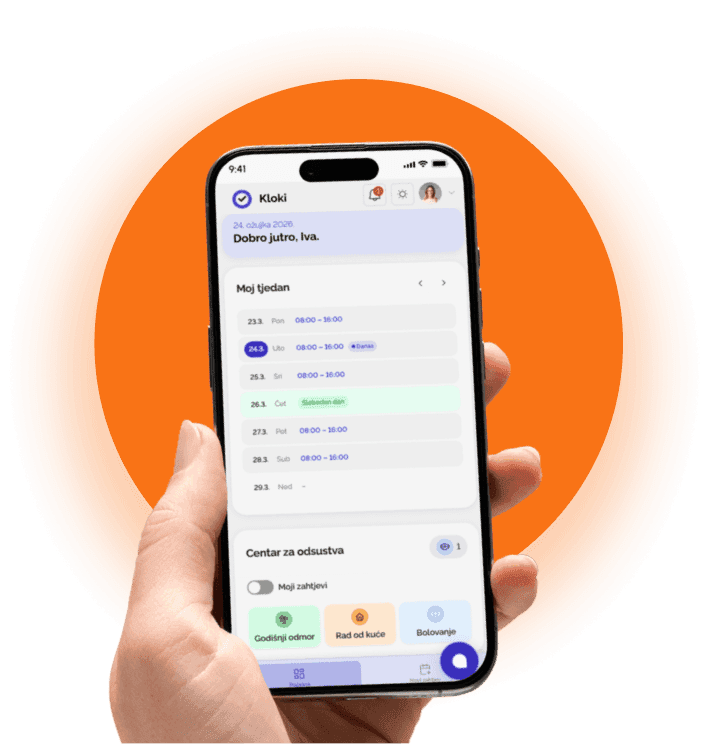
Kloki tracks billable hours by project as part of normal time entry — no extra tool, no double entry.
Employees log hours with a project or client tag. When entering work hours, the employee picks the project they worked on. Simple, quick, embedded in the daily entry they're already doing.
Per-project view: who worked, total cost. A manager or owner sees in real time how many hours have gone into the project, who worked, and what it has cost. They don't wait until month-end to find out — they see immediately if a project is breaking the budget.
Client report: detailed breakdown of hours worked, ready for invoicing. One click — and you have a structured report with names, dates, hours, and descriptions of work. The client gets a transparent document; you skip the awkward conversations.
Profitability analysis: contracted vs. delivered. Kloki gives you the inputs for the math: actual hours × cost per hour = project cost. Compare to the contracted amount and you know your margin exactly. For every project, every client.
All in one place — alongside the rest of your records. Project tracking isn't a separate tool. It runs inside the same system that handles time tracking, leave, and expense reports. Employees don't have to use two different apps — it all lives in Kloki.
A client asks for a breakdown — now what?
This is the situation that keeps repeating: the client emails asking, "can you send me a breakdown of hours for this month?" If you don't have a system, panic kicks in — who worked, how much, when, on what.
With Kloki, the answer is simple. Open the project, generate the report, send it to the client. Done in two minutes. The report is structured, professional, and transparent.
That's not just convenience — it's trust. A client who gets a clean, detailed breakdown knows they can rely on your invoices. And you know the data is correct because employees enter it daily, not from memory at month-end.
What does it actually cost you to operate without a system?
Take an example: a 15-person company running 4–5 projects in parallel.
Without project tracking:
- A manager spends roughly 4 hours a month manually pulling together hours-by-project data
- Leadership prices future projects "by feel" — one bad estimate on a 20,000 EUR project can mean 3,000–5,000 EUR less margin
- A client disputes an invoice once a quarter — each one is 2–3 hours of back-and-forth and corrections
- Total: 60+ hours a year spent on something a system does automatically
With Kloki: the employee picks a project when entering hours (10 seconds a day), and the report generates with one click.
If you don't know what a project costs you, you don't know whether you're earning
Tracking billable hours by project isn't a "nice-to-have" for agencies and consultants. It's a baseline data point for any company that works on projects — from software studios and architecture firms to marketing agencies and construction outfits.
Kloki gives you the data to make informed decisions: which projects are profitable, which clients are worth the effort, and what price you should be quoting on the next one. No guessing.
Try Kloki for free — and finally know what each project actually costs you.